


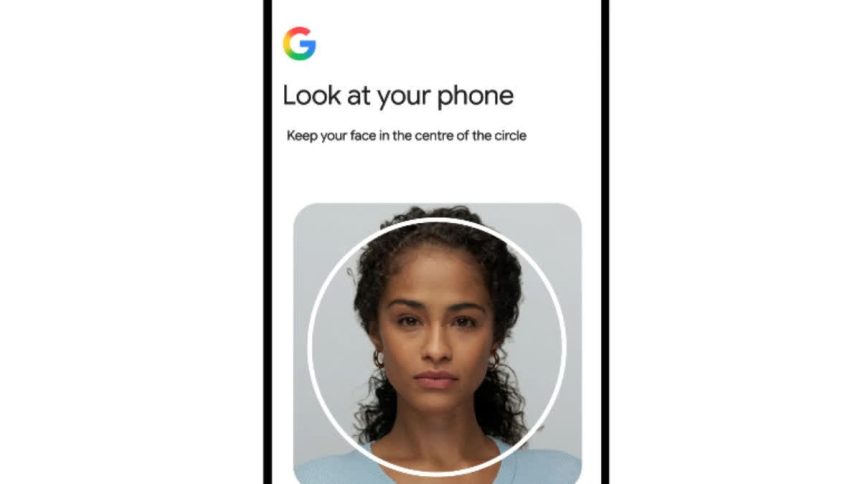
Google’s new “selfie video” sign-in method solves a familiar headache: getting locked out of an account with no phone, no password, and no way back in. But it also puts Google in the middle of a growing debate over biometric data.
Forgotten passwords and lost phones have long been the weak point in account security. The moment your password manager, your trusted device, or your backup code is out of reach, you’re stuck. Google’s new fix lets your face do the work instead.
The company has rolled out selfie video sign-in, a new way to regain access to a Google Account by recording a short video of yourself. It joins passkeys and recovery contacts on Google’s growing list of password-free sign-in options.
How the system works
Setup takes under a minute. Open your Google Account settings, go to the sign-in and security section, and select the selfie video option. Agree to the terms, then look into your camera and follow a few guided head movements. This captures your face from multiple angles and creates a reference recording. No webcam on your computer? Just scan a QR code with your phone instead.
Once that reference video exists, recovery works the same way. You record a fresh selfie video, and Google compares it against the original. The system doesn’t just match a static image — it asks you to make simple movements during the new recording. This “liveness” check confirms a real person sits in front of the camera, not a photo or a pre-recorded clip.
Guarding against deepfakes
The timing isn’t an accident. AI-generated video and photos have grown far more convincing in recent years, and “liveness” verification has become close to a baseline requirement for companies that manage logins or sensitive data. Google says it built multiple layers of protection into the feature, including safeguards against fake photos and deepfake videos. The live-movement check works alongside Google’s existing fraud-detection systems, which flag suspicious sign-in attempts more broadly.
On privacy, Google says you stay in control of your video. It’s encrypted while stored. Google uses it only for sign-in unless you choose to share it elsewhere. You can delete it at any time from your account settings.
Part of a broader biometric shift
Google isn’t the first tech giant to lean on facial recognition for account access. Apple has offered Face ID authentication since 2017. Microsoft built facial recognition into Windows Hello’s recovery flow years ago. Government services like ID.me already use selfie videos, though usually as a one-time check paired with an official ID.
Google’s version works differently. Instead of a single verification moment, it’s a standing backup you set up once and can use anytime you’re locked out.
That structure will likely draw scrutiny. Facial data sits in a more sensitive category than a password — you can reset a compromised password, but not your face. Regulators in several countries have already stepped up scrutiny of how companies collect and reuse biometric data. A permanent, reusable facial reference tied to a Google Account will probably face the same questions.
For now, the feature is opt-in. You can check your eligibility and set it up at g.co/signin-selfie. Google still recommends layering multiple sign-in methods — passkeys, recovery contacts, and now selfie video — rather than relying on just one.